






News – Quick Access to Enterprise News
The new version of the client creates a dedicated publishing space for announcements, news, activity publicity, and other information. The Portal Administrators can publish the latest announcements and other content of the enterprise, which is fast and convenient and saves a lot of manpower to post posters, send emails, oral notifications, and other costs.
Employees can easily obtain first-hand information and avoid the trouble of mixing information with other content.

Tag Navigation - Take the Wanted Tagged Content to You
AnyShare provides the new official tag system, which can be displayed both on the My Portal page and the Intelligent Search page.
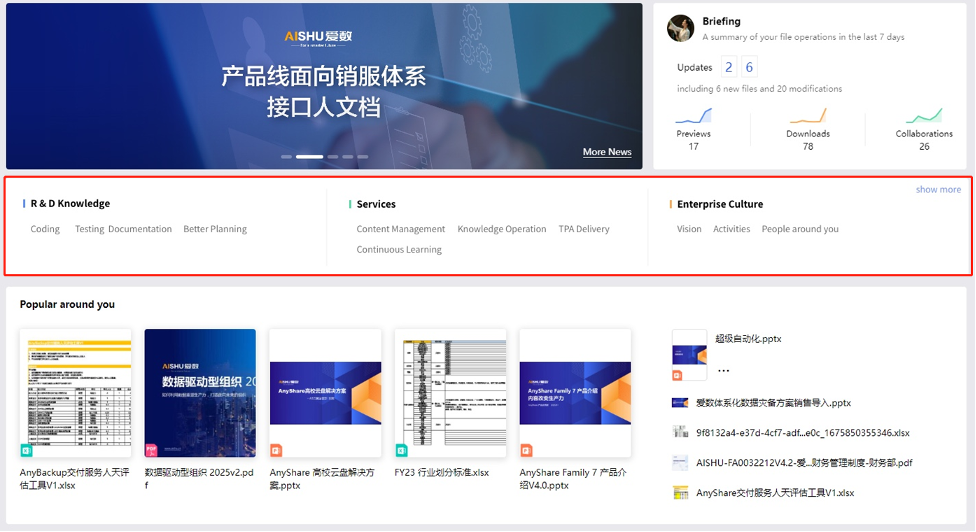
Each user can go to the setting page to select the tags that they are interested in. The selected ones will be displayed on My Portal. By clicking on any tag, the user will enter the search page of the tag content. Thus, users can enjoy a faster and more convenient way to access the wanted content.
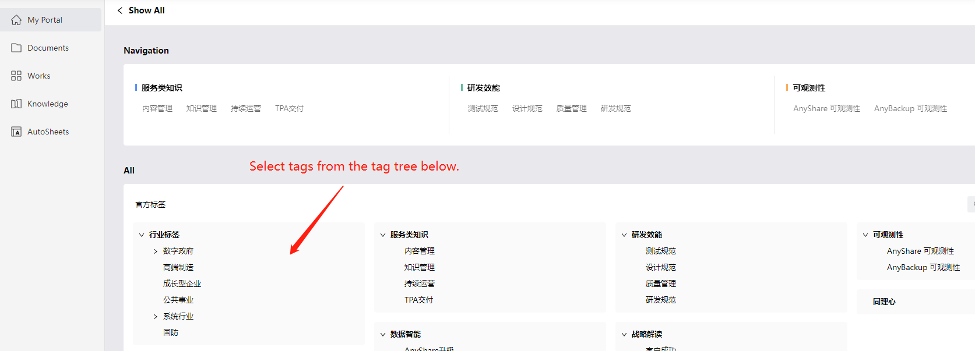
Information Bar – One-stop Access to Organization Information
Some employees often report that the rules and regulations documents in the enterprise are scattered and deep, and sometimes they visit invalid documents without awareness. However, if you ask relevant colleagues frequently, it will waste time and human resources.
With the Information Bar function introduced this time, relevant colleagues can display public documents, enterprise rules, and regulations, common links, etc. in the information bar through the administrator account, so that employees in the organization can access the latest and most accurate content in a timely and fast manner!
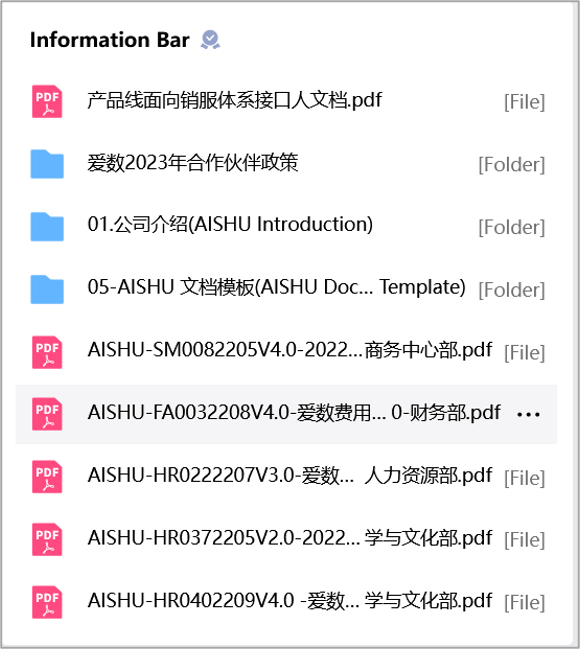
Popular Around You – Catch Up on What Others Are Focusing
This section will present the documents browsed by members of the organization according to the corresponding popularity through intelligent algorithms so that each member of the organization can follow up on the corresponding content on time and integrate it into the work quickly.
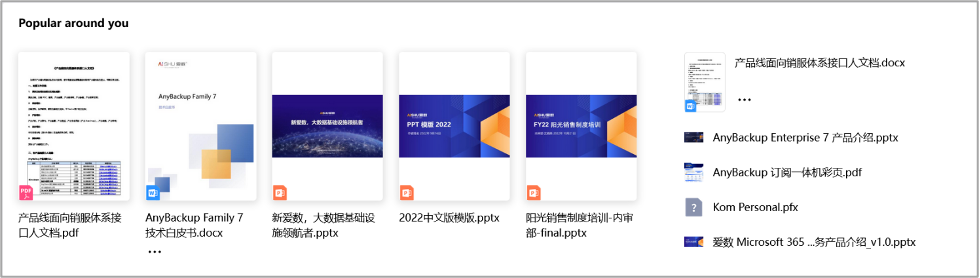
At the same time, Hot Questions and Recommended Knowledge will display the knowledge and Q&A related to users in the organization on the home page for the first time and update them to users on time.

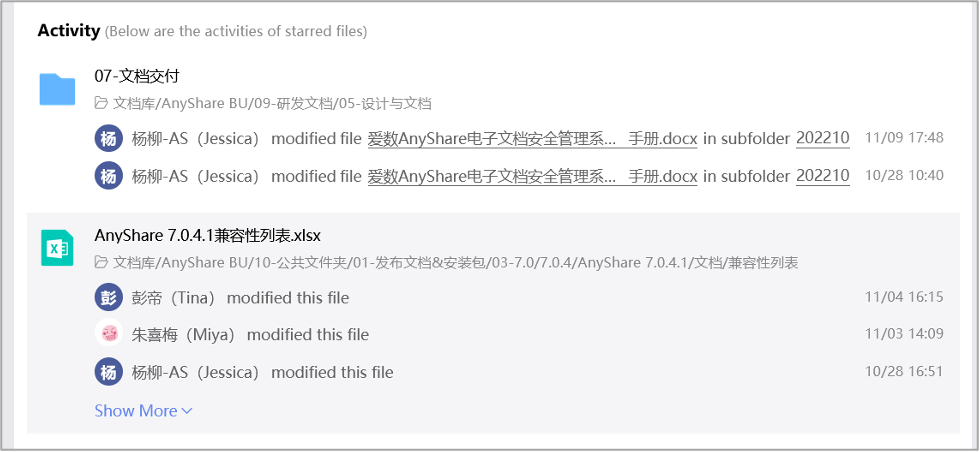
Activity – Pay Attention to Updates and Obtain Dynamic Information in Real-time
In daily work, users can pay attention to the contents of many files and folders, but if they can't receive real-time dynamic updates, it will lead to a large amount of information accumulation and a large amount of content waste.
Activity, as a dynamic reminder, can help employees get updates of their starred content in real-time and get updates faster, which brings a more efficient organization.
Starred and Recent – More Convenient Access
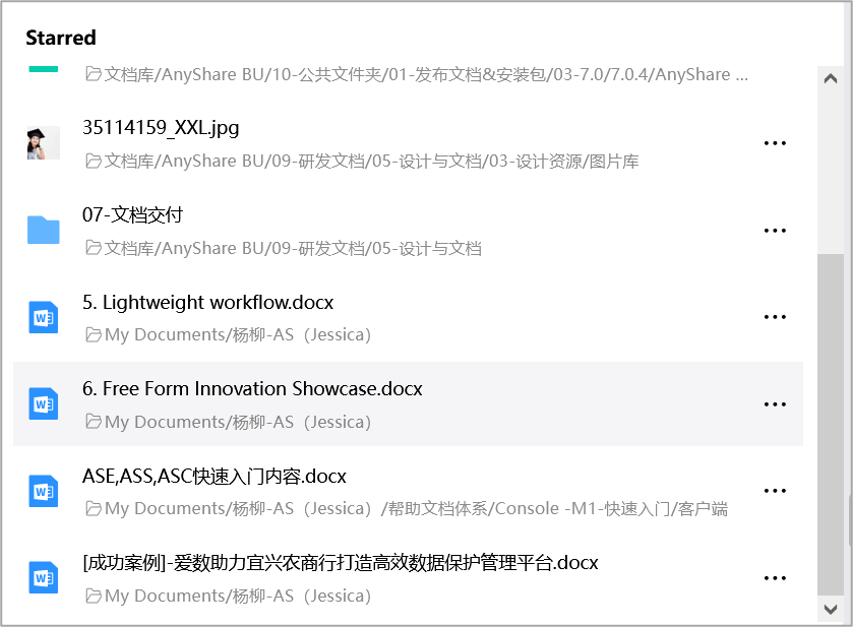
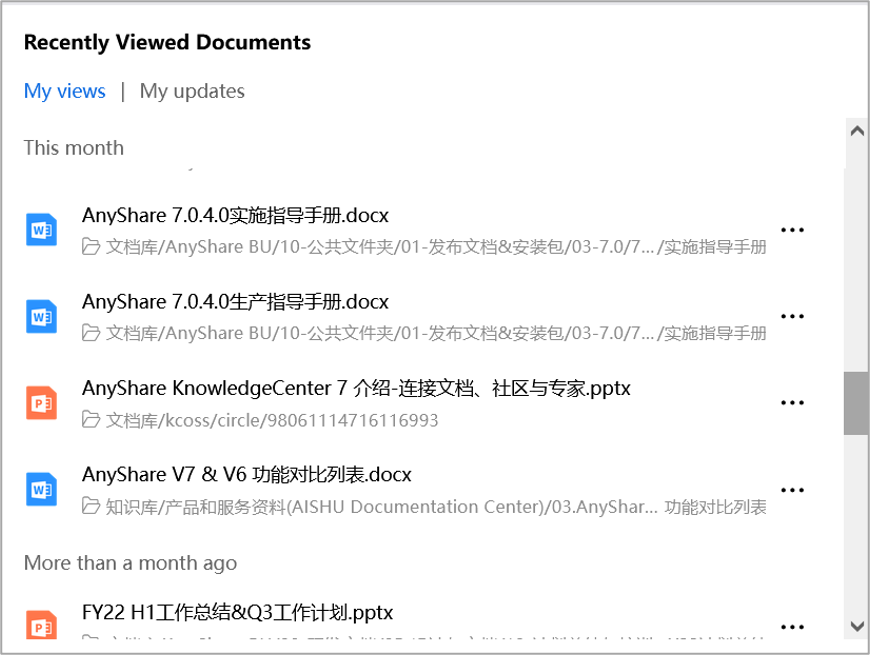
In daily work, you may usually encounter the following scenarios: want to view the starred documents on the home page; want to check the documents or knowledge which haven’t been finished reading yesterday; want to recheck the previous updates. To solve these problems, the Enterprise Content Portal has introduced the following functions:
Starred section is presented on My Portal, with which you can access your favorite content more conveniently.
The "Recently Viewed/Updated Documents" makes it easy for users to view their work in real-time.
Briefing – Exclusive Presentation of Content Management Data
There are more applications for enterprise construction, and they are scattered in different interfaces. Employees upload tons of documents in different directories. Due to busy work, employees have no time or interest to view and share the data of the uploaded documents respectively, so they cannot make an objective review and evaluation of their work.
Briefing in My Portal can give you a glance at daily download, access, and collaboration data, where employees can quickly review their work to improve their mastery of the work and better carry out their work.
