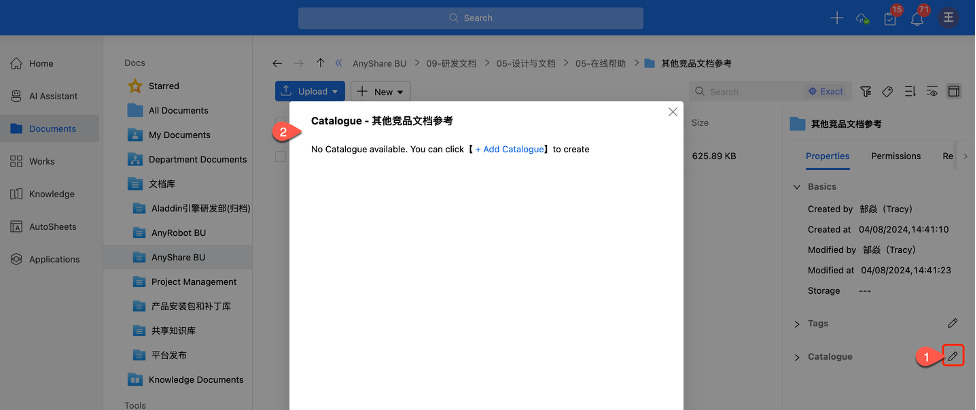






1.4.1 Why can’t I add Abstract/Catalog/Tags to documents?
If you can’t edit metadata when clicking “ ” in the sidebar, possible reasons are:
1) Insufficient permissions – Ask your administrators for metadata editing permissions (required for catalog/tags/summaries).
2) Policy restrictions – The document is governed by administrator-configured policies in the Management Console, which may override your individual permissions and restrict your specific actions on certain documents.
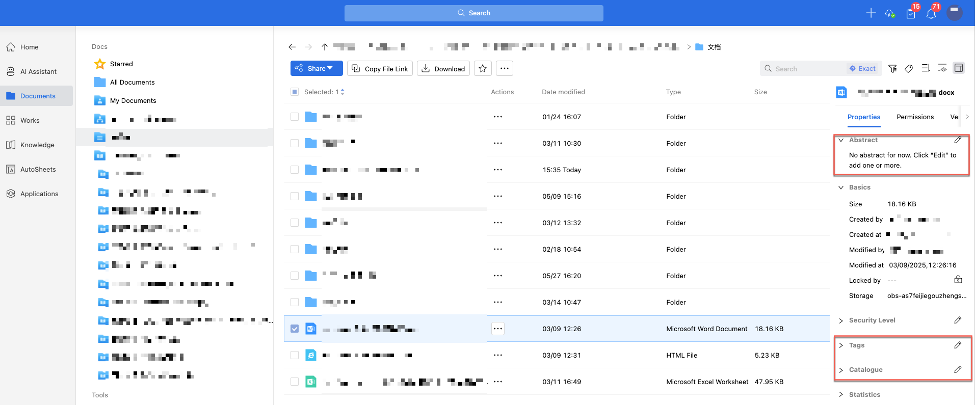
Note: Administrators should navigate to [Document Policy] > [Document Catalogue] in the Management Console, then specify editable attribute values and authorized users in the “New Catalog Template” page.
Once configured, authorized users can edit document attributes in the client. While unauthorized users will see disabled input fields when accessing the attribute editing interface.