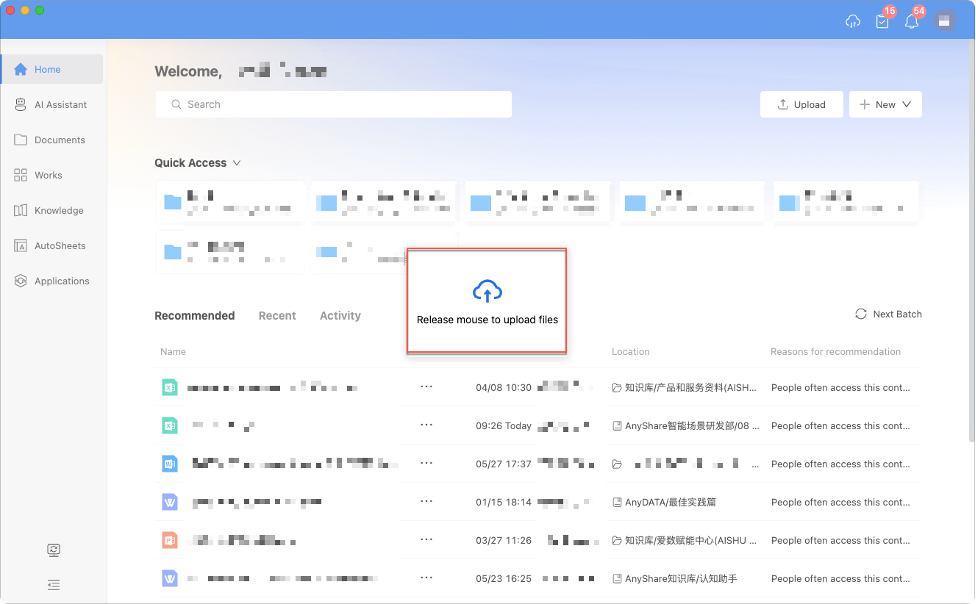






The AnyShare Enterprise Content Portal's Home feature delivers a personalized interface designed to match users' work habits.
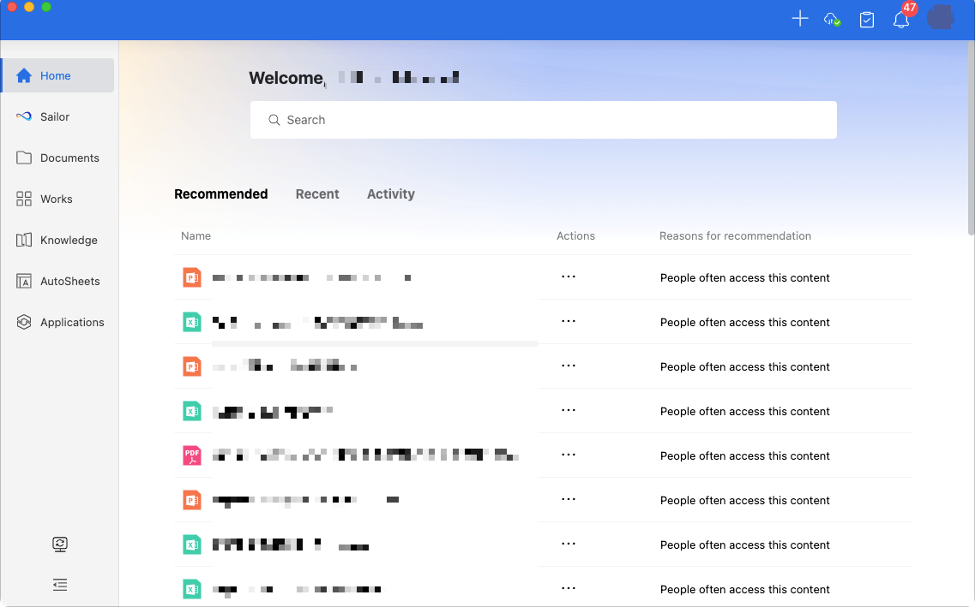
It intelligently recommends frequently accessed content, displays recently viewed documents, and provides real-time updates on both files and knowledge topics. This ensures users access key information quickly, handle tasks efficiently, and stay on top of to-dos, ultimately improving overall work productivity.
› Search for What You Want on Home
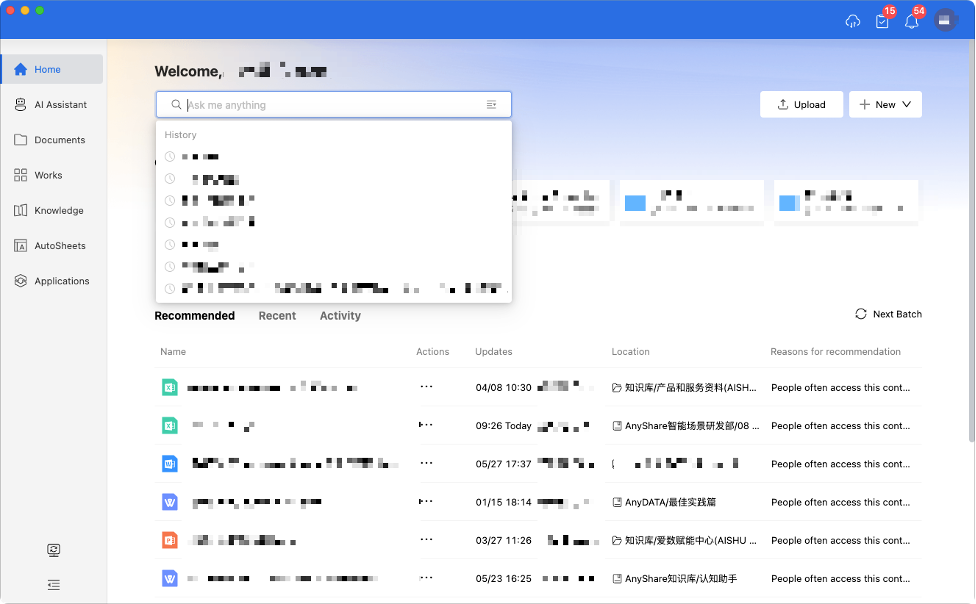
Users can search for relevant content directly from the homepage by entering keywords in the [Search Bar], which redirects to the intelligent search page.
Quick Content Access
The homepage provides quick access to work-related content through several sections:
› Quick Access: Displays your frequently used knowledge objects that you've added, including documents from Document Center, knowledge resources (such as KnowledgeBases, WikiDocs, and Knowledge Topics) from Knowledge Center, AutoSheets, as well as frequently accessed files and folders from your searches.
How to add items to Quick Access?
Method 1:

Method 2:
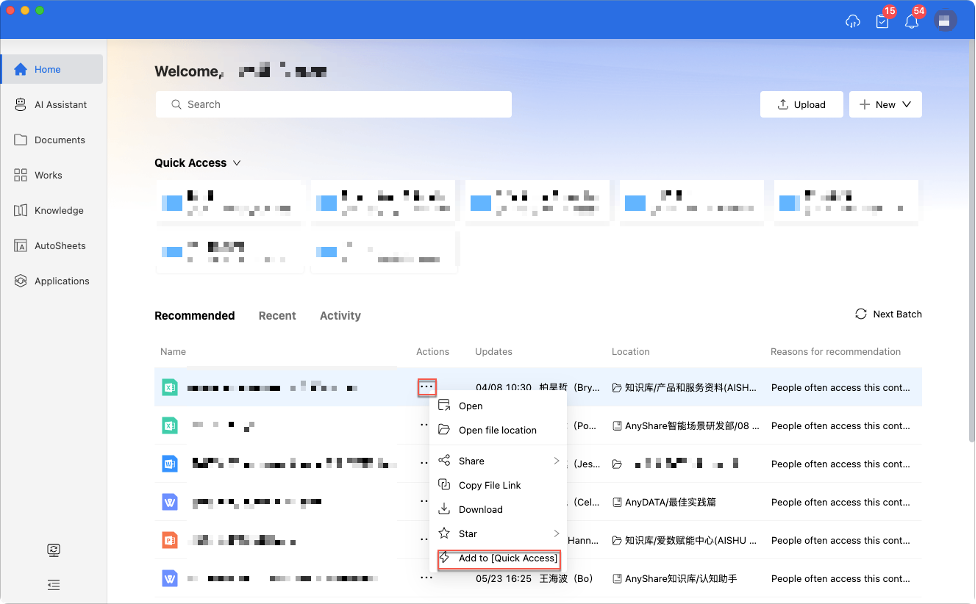
Once added, items appear in your [Quick Access] section for efficient retrieval.
› Recommended for You: Shows personalized suggestions based on your usage patterns and role, including relevant documents and WikiDocs. Click any item to open it directly. Use the [Next Batch] button (top-right) to refresh recommendations.
Tips: Recommendations become more accurate with continued AnyShare usage.
› Recent: Displays your recently edited and viewed content.
› Activity: Shows notifications about followed content changes.
Efficient Work Management
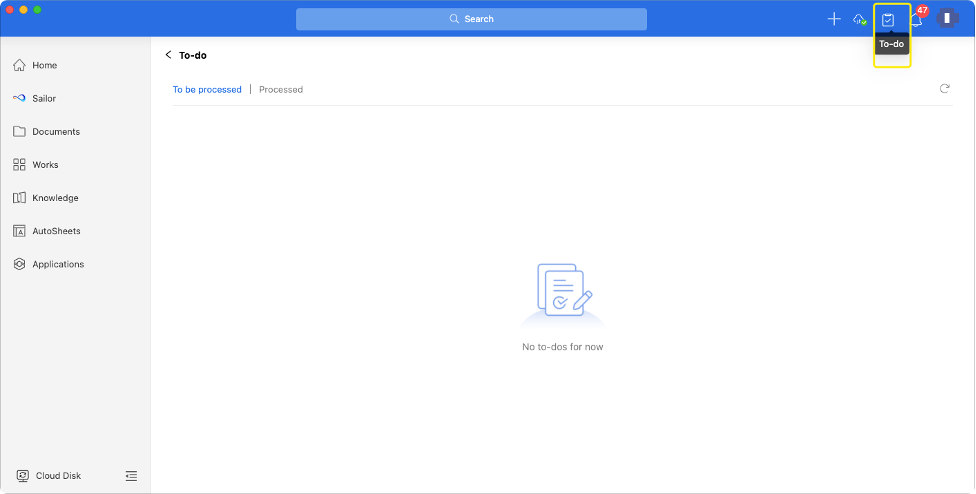
Users can access pending tasks through [To-do] in the top-right corner and view personal reminders through [Notification].
Rapid Content Creation
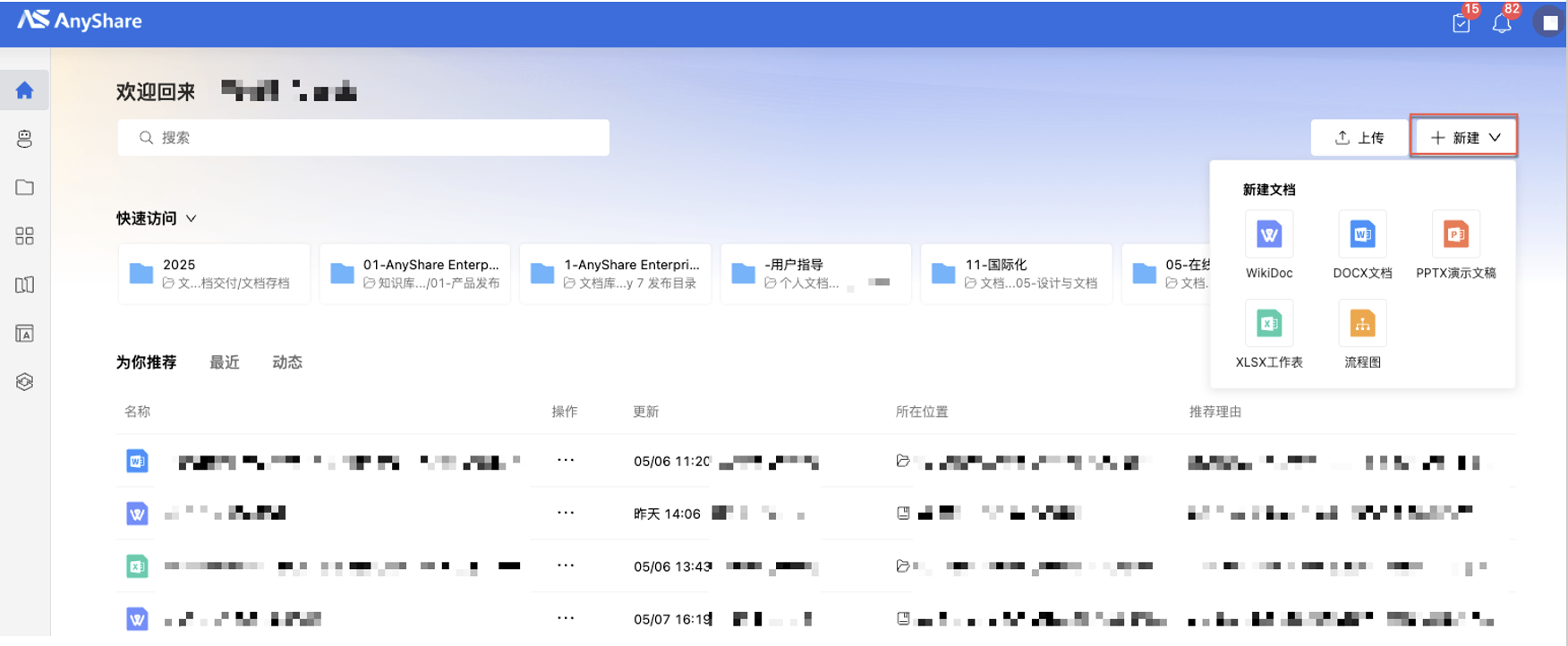
Click the [+ New] / [Upload] in the top right corner to create new content.
Drag and drop files directly to the Home page for instant uploading.