





What Are Catalogues?
In AnyShare Family 7, extended metadata comprises tags, abstracts, and catalogues. Catalogues refers to the systematic process of analyzing, selecting, and recording the external and content attributes of information resources according to standardized rules, then organizing these entries into structured directories or bibliographies.
Primary Uses of Catalogues in AnyShare
Catalogues in AnyShare primarily enable file classification and enhanced search capabilities. It enables quick retrieval of non-indexable files (videos, images, scans, compressed packages, etc.), supporting critical use cases like media asset management, resume databases, contract management, invoice tracking, publication repositories, project documentation, material archives, meeting records, and examination question banks where automated metadata extraction is unavailable.
Add catalogues to files/folders
Prerequisites: To search files through catalogues, Administrator must deploy Extended Metadata Service via the Deployment Management Console and set catalogue templates on Management Console
Users can select the target file or folder, click the “ ” button of the Catalogue in the column of properties on the right, then select the template in the pop-up box, fill in the relevant attributes, and finally click the [OK] to add successfully.
Figure-Add catalogues

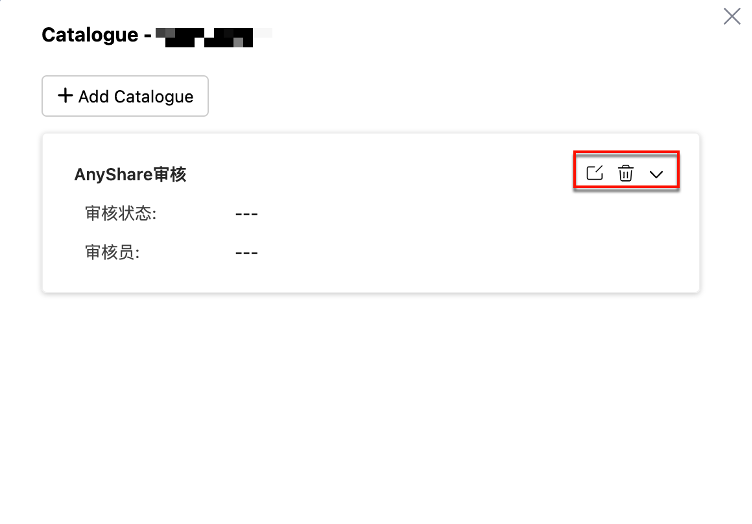
The added catalogues can be edited, modified or deleted again. Multiple catalogues can be added to a file at the same time.
Figure-Manage catalogues
Catalogue-Based Search
When searching organizational Documents, users can utilize catalogue metadata alongside traditional search criteria (keywords, filenames, tags, or summaries).
Click the dropdown next to the Intelligent Search Bar to select a catalogue template, enter matching attributes, and confirm with [Search].
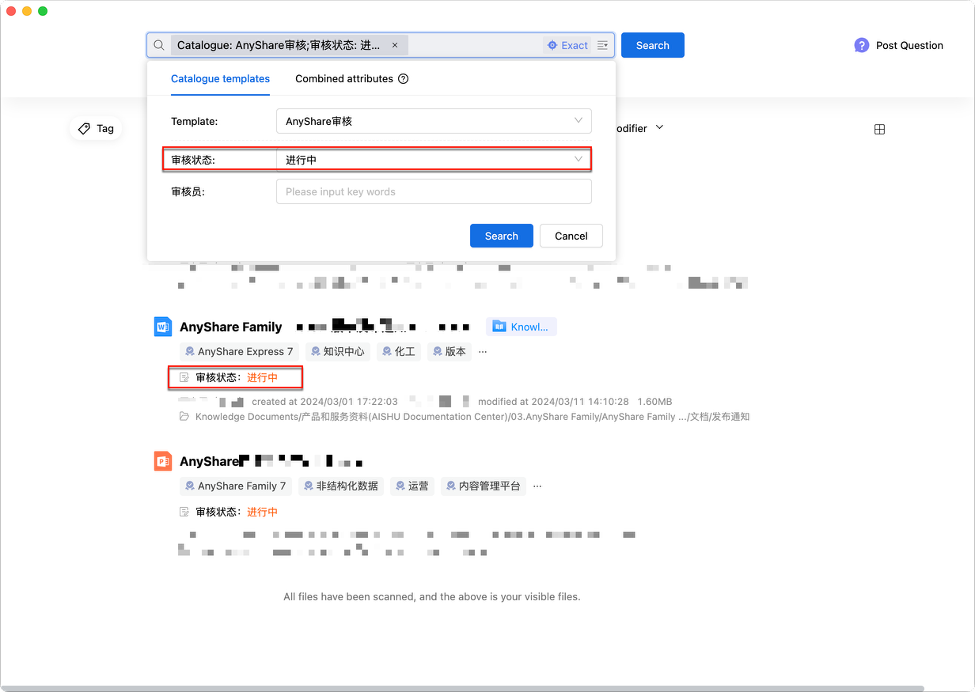
Figure-Catalog-based search interface
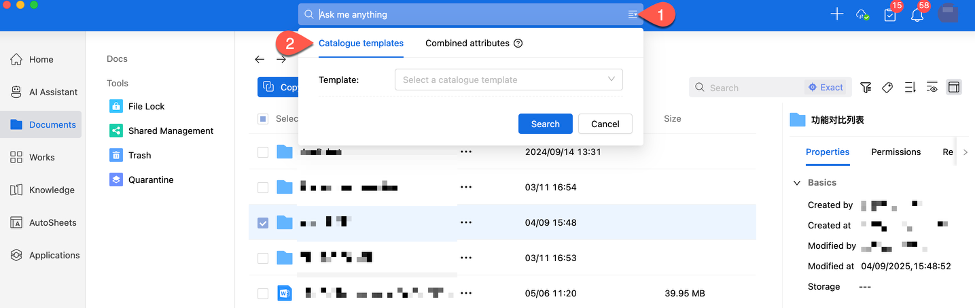
Figure-Search results display