






What should I do if I forgot password?
You can reset your password on AnyShare for Windows, Web, Mac, and mobile clients via mobile or email. If your administrator has enabled password reset, follow these steps:
1. On the AnyShare login page, click [Forgot password?] .
2. Enter your registered mobile number or email address.
3. Check your device for verification code.
4. Input the code and create a new password.
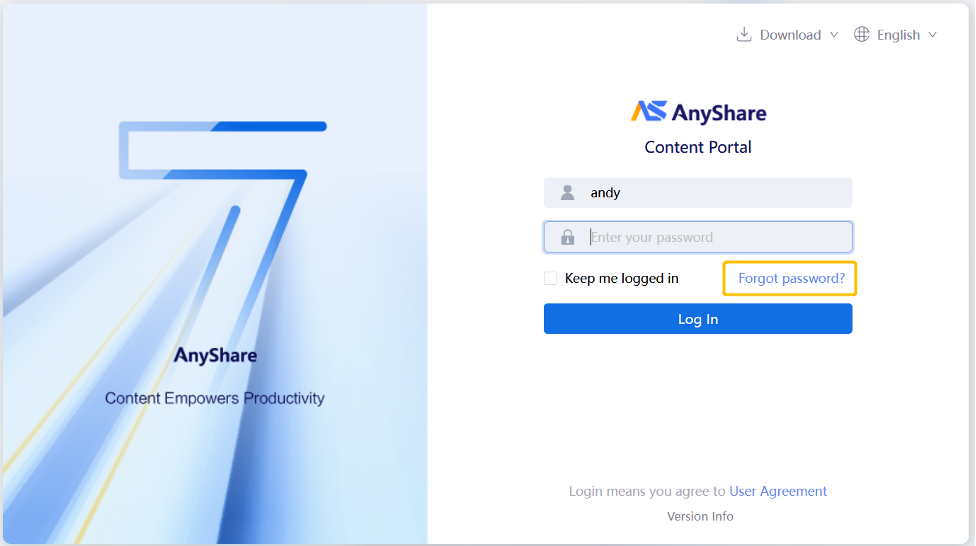
Figure Login page
Note: If the [Forgot Password?] option is unavailable, contact your administrator, as this feature may be disabled by your organization’s security policy.
Can I switch accounts?
No. Account switching is disabled to protect user data security and prevent potential leaks during login.
How to unlock an account after too many failed logins?
If your account is locked due to multiple incorrect password entries:
• Wait for the duration specified in the system prompt before retrying,or
• Contact your administrator to reset your password.
What should I do if the account is disabled?
Administrators may disable accounts inactive for a defined period. If you see “Your account has been disabled” at login:
• Contact your administrators to reactivate your account via the management console.
• Once reactivated, log in as usual.
Multi-Terminal Login
Multi-terminal login availability depends on organizational policies:
• Allowed: If no restrictions are configured by administrators.
• Prohibited: If administrators have disabled access for specific client types in the management console.