






Why can’t I access a shared?
If you cannot access a file through a shared link or in the document directory, possible reasons include:
1) File deleted – The file has been removed.
2) Insufficient permissions – Lack access permission for this file path.
3) Insufficient security level – The file is hidden because your user security level is lower than required.
Can I set the pickup code for “Sharing with anyone”?
Of course. You can set a custom pickup code or use the system-generated random pickup code for Sharing with anyone.
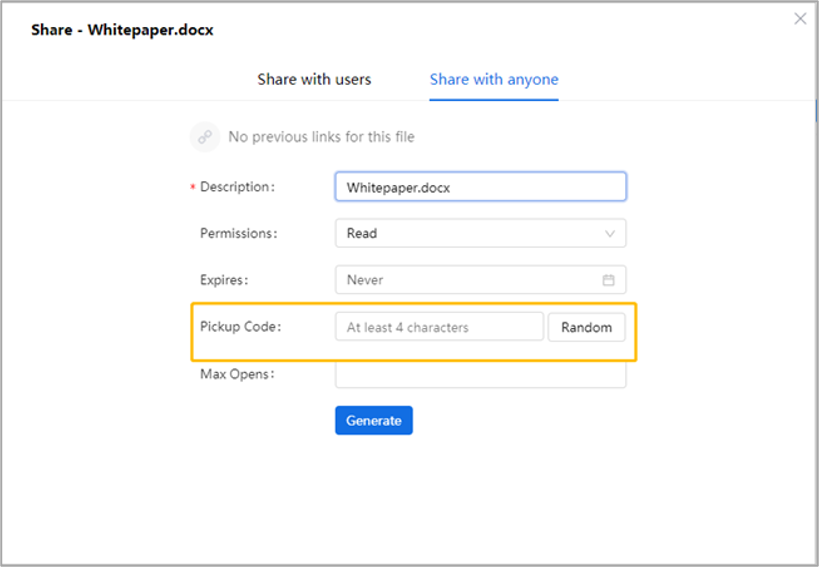
Figure Share with anyone
How to stop sharing a file?
• To stop Sharing with users, you need to check the file, open the page of [Share], and click” ” in the action bar to terminate Sharing with specific users, departments, or groups.
• To disable Sharing with anyone, users must select the file, open the page of [Share], and click “ ” to deactivate the “Sharing with anyone” functionality.
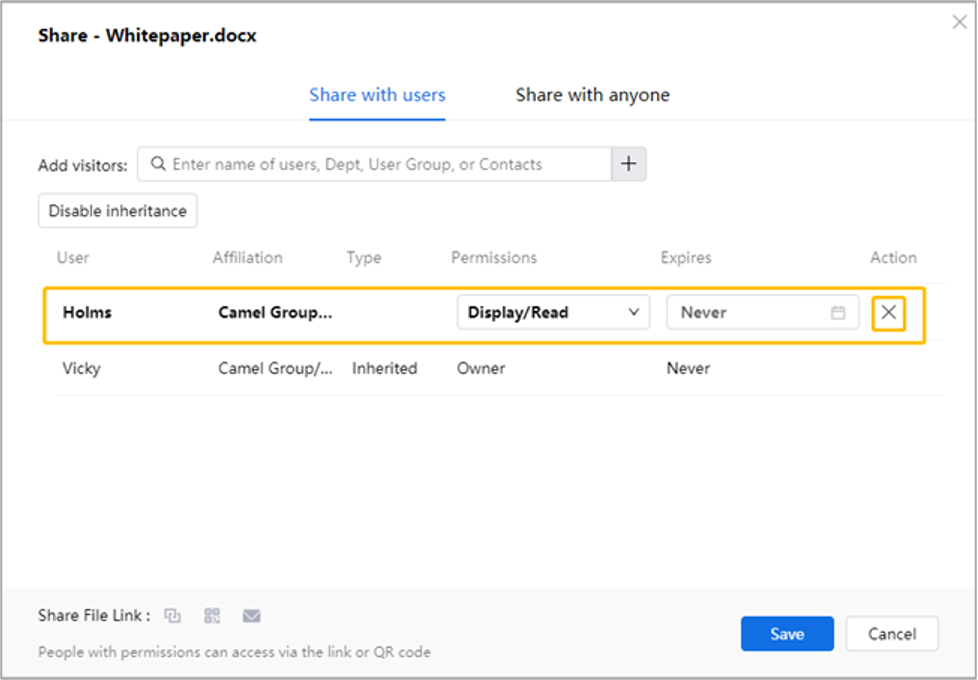
Figure Configure Permissions
How to modify shared file permissions?
AnyShare enables permission inheritance by default. To modify access permissions:
1. Locate the shared file
Select the shared file, click [Share with users] and check the permission inheritance source under the [Permissions] column.
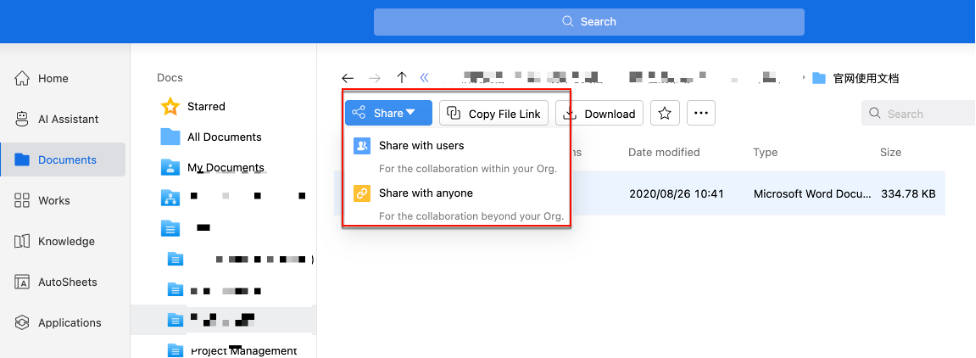
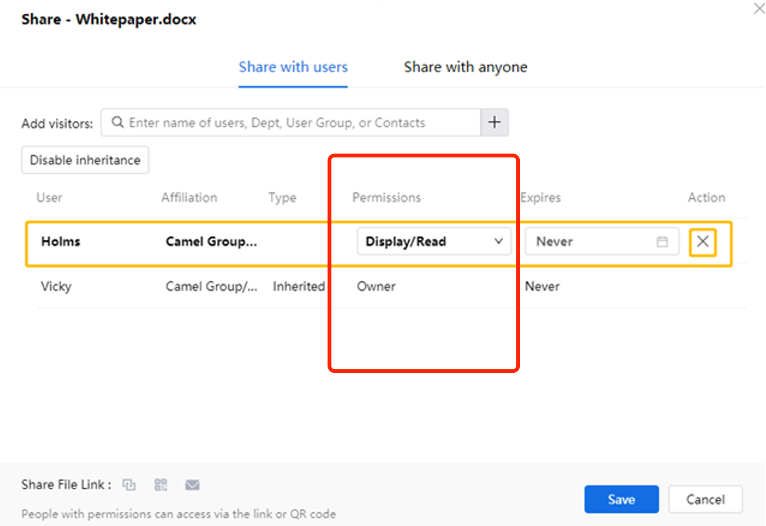
2. Adjust permissions
Find the desired recipient, simply modify their access level using the permission dropdown menu.
Do modified files need to be reshared?
No. Shared content automatically updates to the latest version unless a validity period was set.
What do shared links expire?
Three scenarios where links of Sharing with anyone are disabled:
• The owner stops sharing with anyone.
• The sharing period expires.
• The shared file/folder is deleted
How to resolve temporary files in desktop client?
When editing conflicts occur (working on outdated server versions), the desktop client generates temporary files under the current path. To resolve:
1. Copy the temp file to another location.
2. Remove the .anyshare.temp suffix.
3. Compare and manually merge with the current version